
Study Smart,Not Hard
Free AI-Powered PDF Study Tools — Transform Your Files, Notes & Learning Materials into Powerful Insights.
Start Now For Free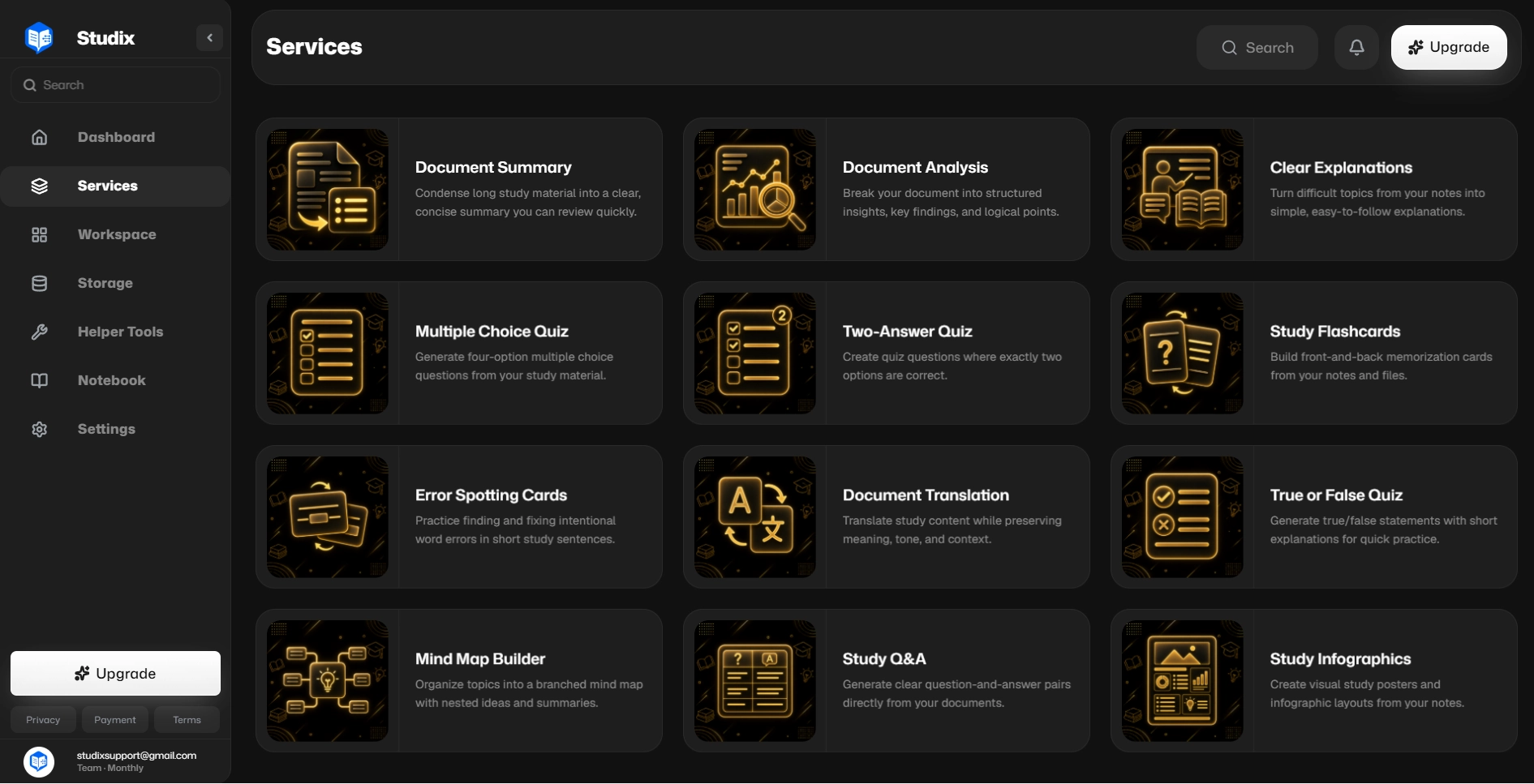
About The Platform
One intelligent workspace where your files, tools, and results live together — built for learners who want clarity, speed, and control.
All-in-One Workspace
Students, professionals, educators, developers, and researchers use one platform to study, analyze, and create with AI.
Upload, Store & Process
Upload your files, keep them secure in cloud storage, and run advanced educational tools whenever you need them.
Access From Anywhere
Summaries, analysis, learning maps, code explanations, visuals, and AI assistance — available on any device, anytime.
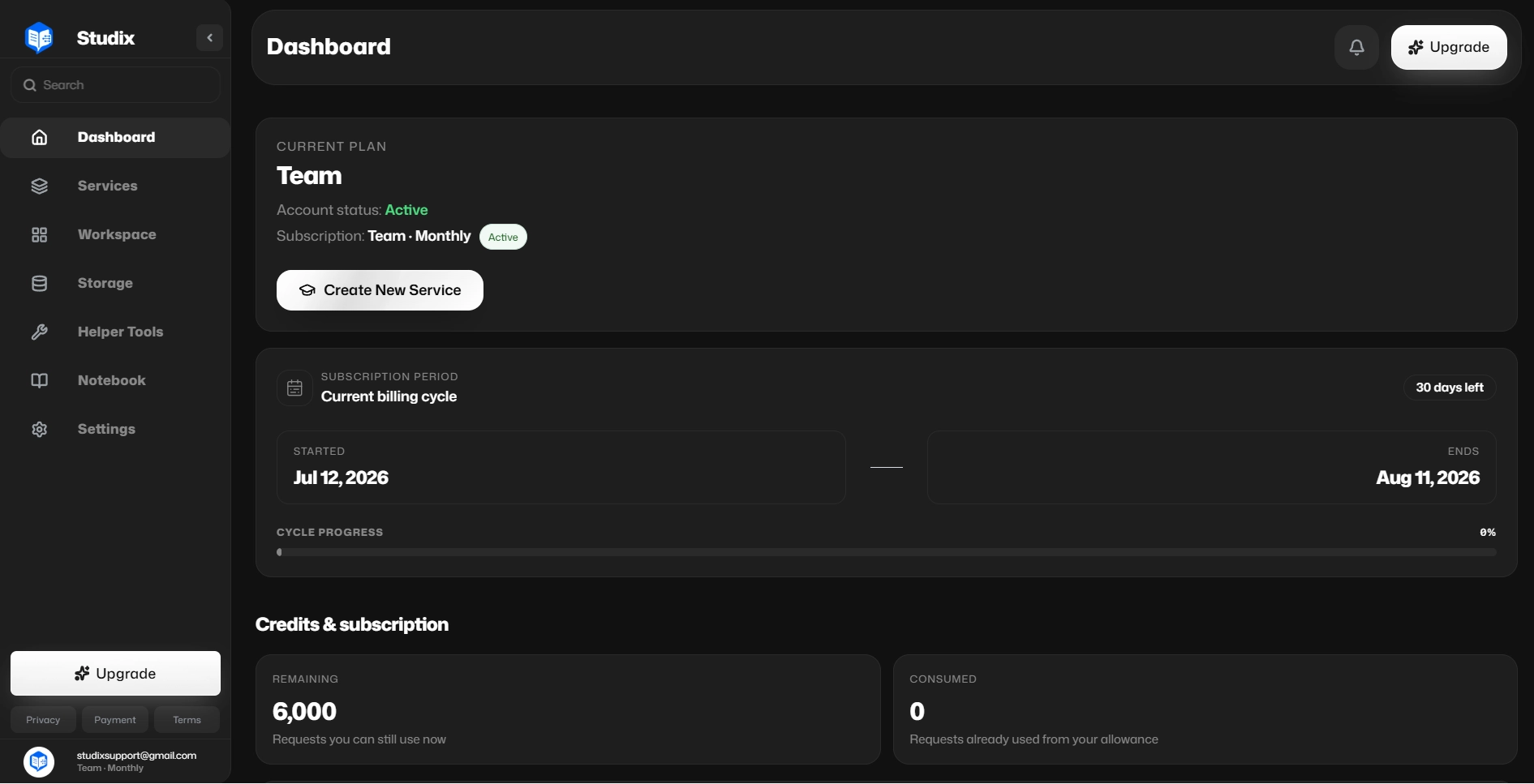
Your Dashboard
Everything you need to manage your learning plan professionally — all in one place.
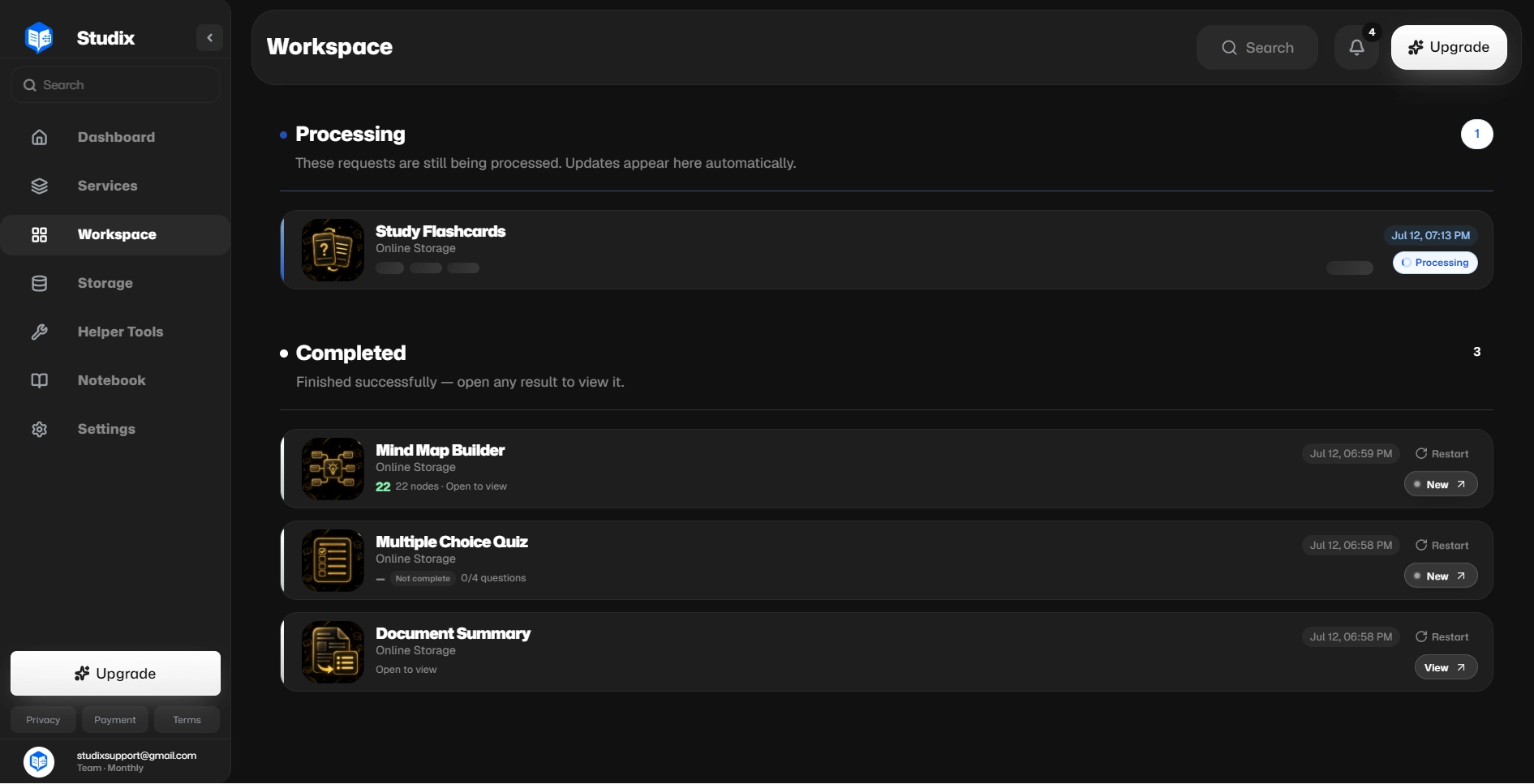
Your Educational Workspace
View and manage every educational task you have created with ease.
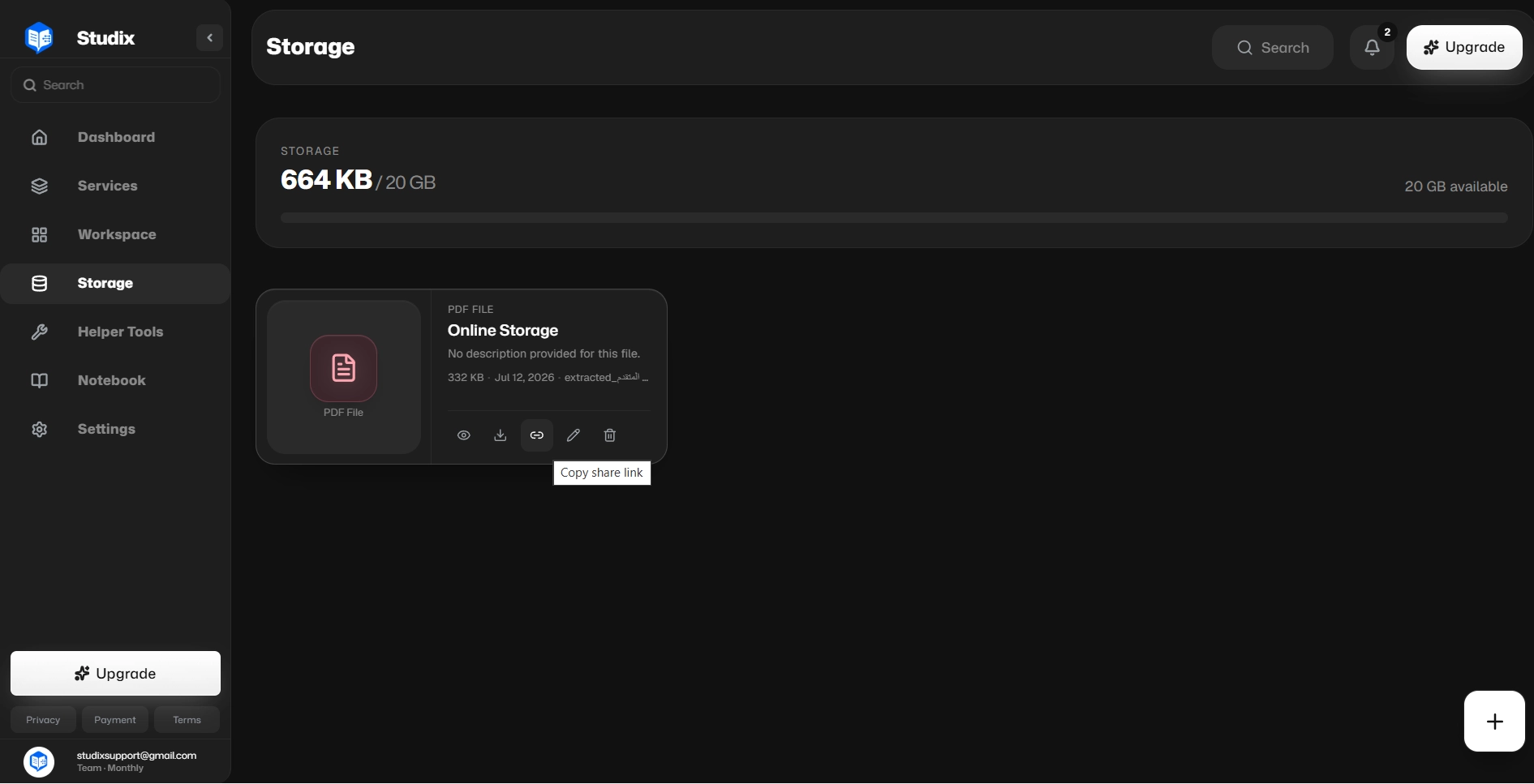
Your Educational Storage
Secure storage space to keep all your educational files safe and organized.
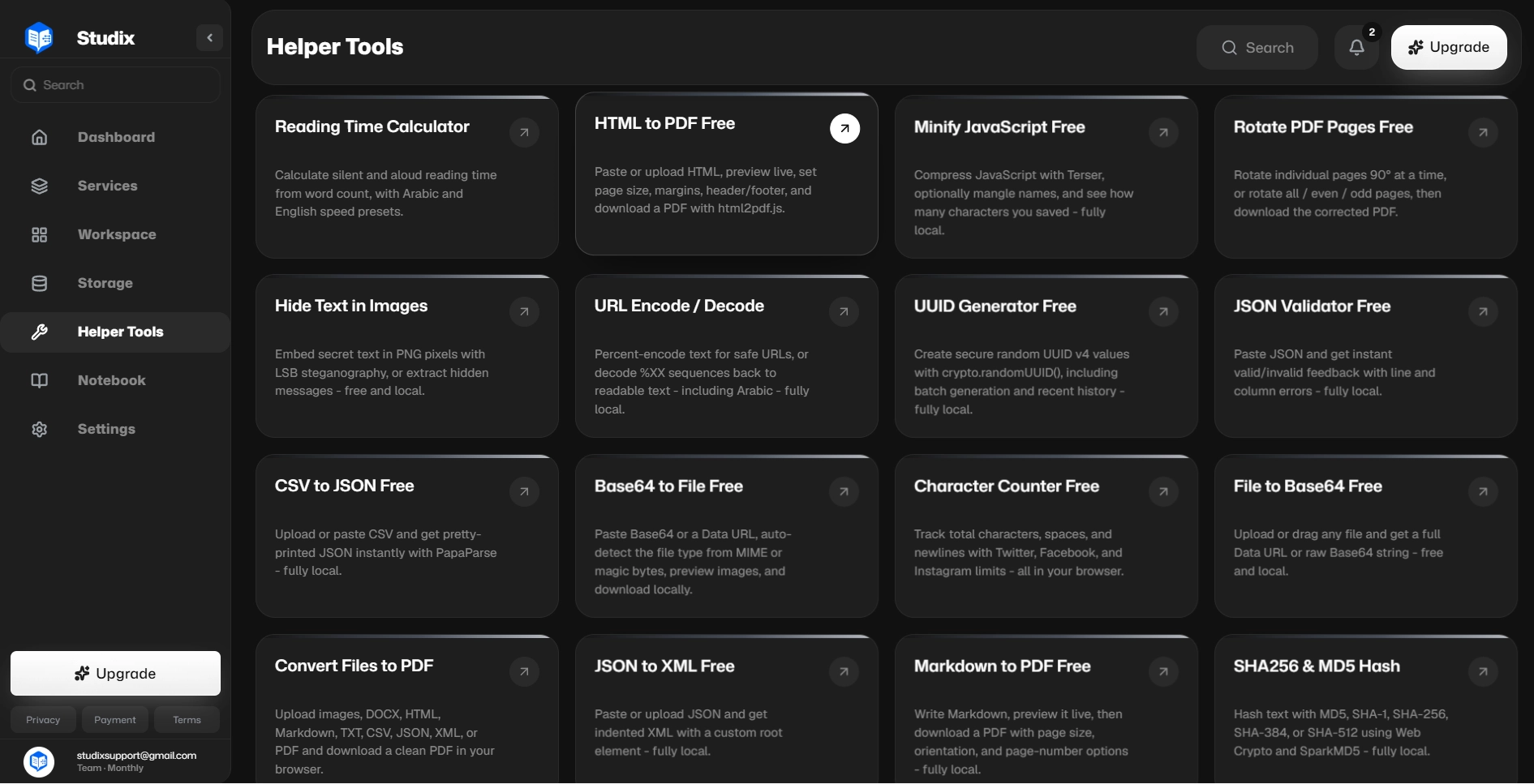
Your Helper Tools
Everyday utilities for converting, formatting, and cleaning study files — ready whenever you need them.
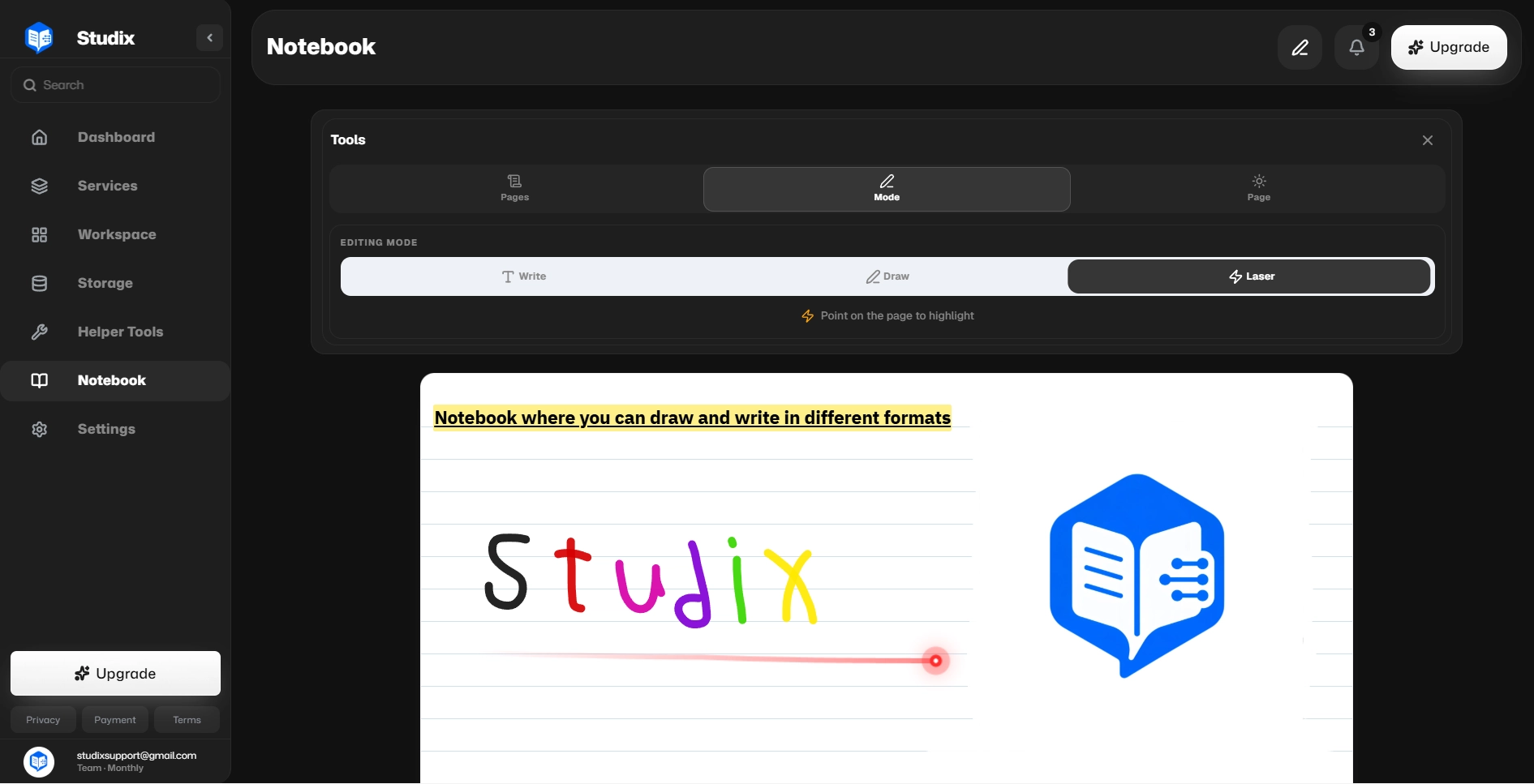
Your Educational Notebook
Write or sketch notes with rich formatting, flexible layouts, and professional highlighting.
Why Choose Our Platform
Affordable Pricing
One of the most affordable educational platforms available.
Clean & Comfortable Interface
Designed to reduce distractions and improve focus.
Flexible Workflow
Work the way you prefer with complete flexibility.
Available Everywhere
Use the platform on web, mobile, tablet, and desktop devices.
Free Daily Usage
Every free user receives up to 2 requests per day.
Fast Processing
Optimized infrastructure for quick results.
Background Processing
Tasks continue running even after leaving the platform.
Free Storage Space
Receive 50 MB of educational file storage for free.
Professional Notebook
Rich note-taking system with drawing support and advanced formatting.
Complete Dashboard
Manage files, tasks, subscriptions, and workspaces from one place.
Fair System & Customer Support
24/7 support to help resolve issues quickly.
How It Works
From upload to results — eight clear steps to get the most out of Studix.
- 1
Upload Your Files
Go to the Storage section and upload or drag-and-drop your files.
- 2
Select a Service
Open the Services section and choose the tool you want to use.
- 3
Choose Your File
Upload a new file or select one already stored in your Storage area.
- 4
Processing Starts
The platform immediately begins processing your request.
- 5
Workspace Tracking
You are automatically redirected to your Workspace where you can track task progress.
- 6
View Results
Once processing is complete, open the task to view the generated result.
- 7
Regenerate Anytime
Need a different result? Regenerate the service with one click.
- 8
Save Notes
Store ideas, comments, and educational notes inside your Notebook.
Who Uses This Platform?
Students
Study smarter, summarize lessons, and understand complex topics.
Doctors & Healthcare Professionals
Generate educational PDFs and simplify information.
Content Creators & Educators
Generate educational visuals and explain complex concepts visually.
Supported File Types
One upload area for the formats students use most — documents, slides, and images.
Documents
Notes, readings, and written study materials
Images
Diagrams, scans, and visual references
Work Without Waiting
Run multiple tasks in the background and return when results are ready.
Create multiple tasks simultaneously and let them process in the background.
Leave the platform whenever you want and return later to view completed results.
No waiting. No interruptions. No wasted time.
Available On All Devices
- Web
- Android
- iPhone
- Tablet
- Windows
- macOS
Ready To Get Started?
Register today and enjoy the complete platform experience for free.
Free users receive up to 2 requests per day.
Register NowFrequently Asked Questions
Frequently asked questions
We are an educational technology platform focused on helping learners and professionals process files, generate insights, organize knowledge, and save time using AI-powered educational tools.
Free users can create up to 2 requests per day. Signing in unlocks storage, workspaces, notebooks, and higher limits as you grow.
No. Many tools can be tested instantly without creating an account. Creating an account unlocks additional features, storage, workspaces, and advanced limits.
Yes. Tasks continue processing in the background even if you close the platform and return later.
Yes. All uploaded files and platform operations are protected using secure infrastructure and privacy-focused practices.
The platform supports PDF, DOC, DOCX, TXT, PPT, PPTX, PNG, JPG, and JPEG — the document, presentation, and image formats students use most.
Absolutely. The platform works on Android, iPhone, tablets, desktop computers, and modern web browsers.